
Tap Cards are here: the accountant's business card, with a twist
 Amy Mall
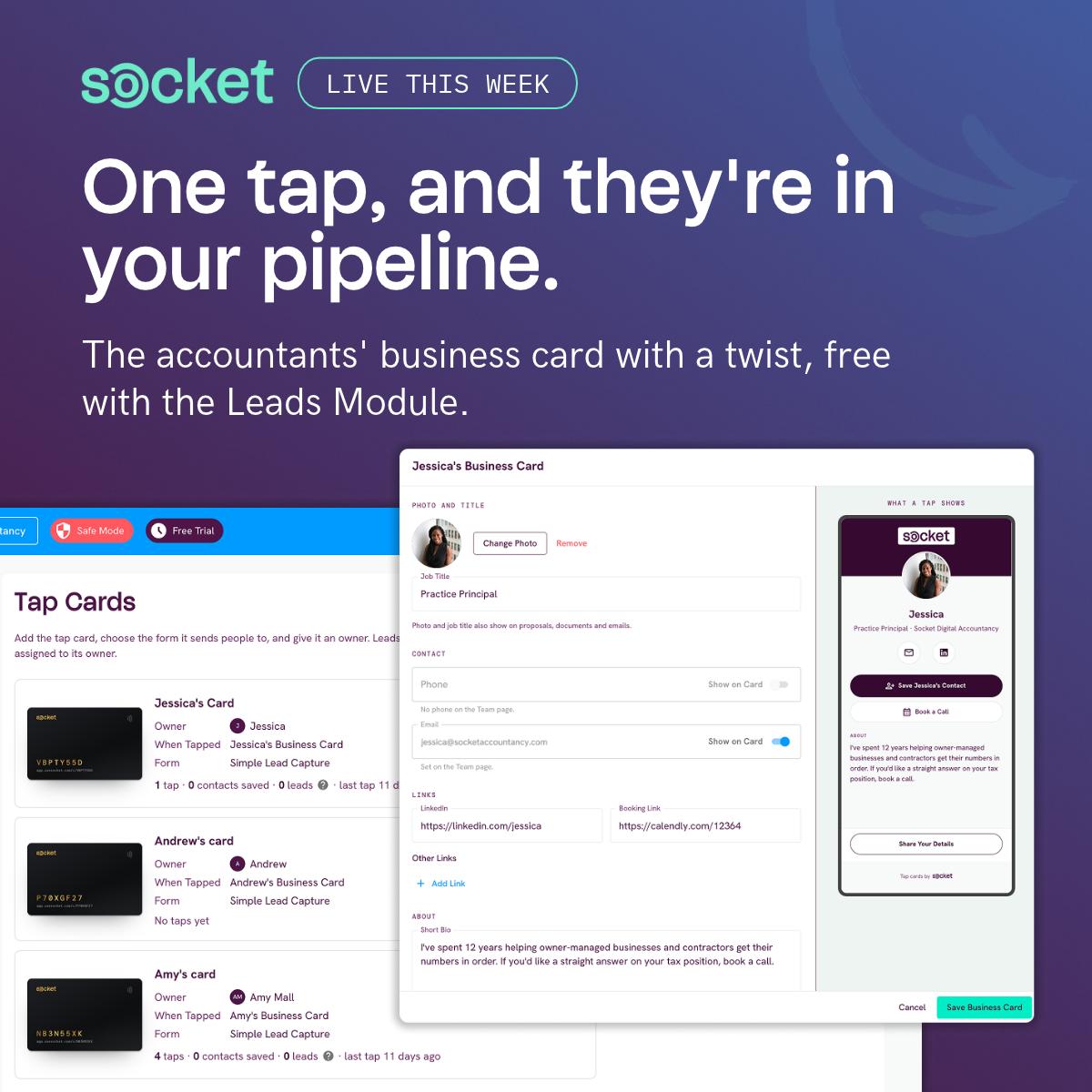
Ever met a great prospect at a networking event, but by Monday your business card is in a coat pocket somewhere collecting dust? A Socket Tap Card skips that part. It's the accountants business card, with a twist.
Tap Cards are now available in Socket. Each one uses NFC technology to connect a prospect to your contact details and Socket enquiry form. Forget paper business cards and get new prospect details straight into your pipeline in Socket, while you're still talking.
Link a Tap Card to your Socket account, and when a prospect taps their phone to it, it'll open your enquiry form or your digital business card, and their details are sent to your Leads board, assigned to you, ready for Monday morning.
They're free with every Leads plan. Request yours now and we'll post them within 7 days, which gets them to you in time for Christmas networking.
Why we built them
Plenty of new clients start as a conversation at a networking breakfast, a conference, or some Christmas drinks. The follow-up is usually where those conversations get stuck, especially as we move into holiday season. A paper business card ends up in a coat pocket or a name goes into a phone, but by January nobody is sure who promised to call whom.
We built Tap Cards so a prospect's details are in your pipeline before the conversation has finished. The card is neutral black with the Socket logo in gold, it works with iPhone and Android, and there's nothing for the prospect to install. And, if their phone doesn't read NFC, they can scan the QR code on the back instead.
What you can do with Tap Cards
Send prospects to an enquiry form
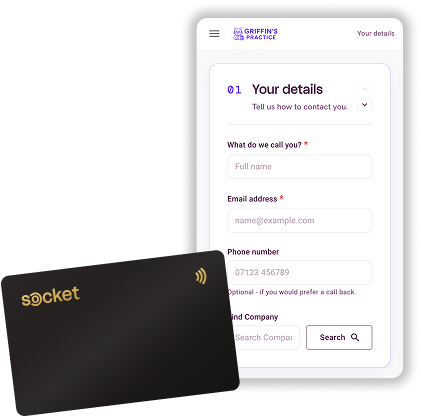
Link a card to any of your Socket enquiry forms. When a prospect taps the card, the form opens on their phone and they can fill in their details while you're still chatting. The lead appears on your Leads board assigned to the card's owner, so everyone knows who is following up.
Finish the form with a booking page
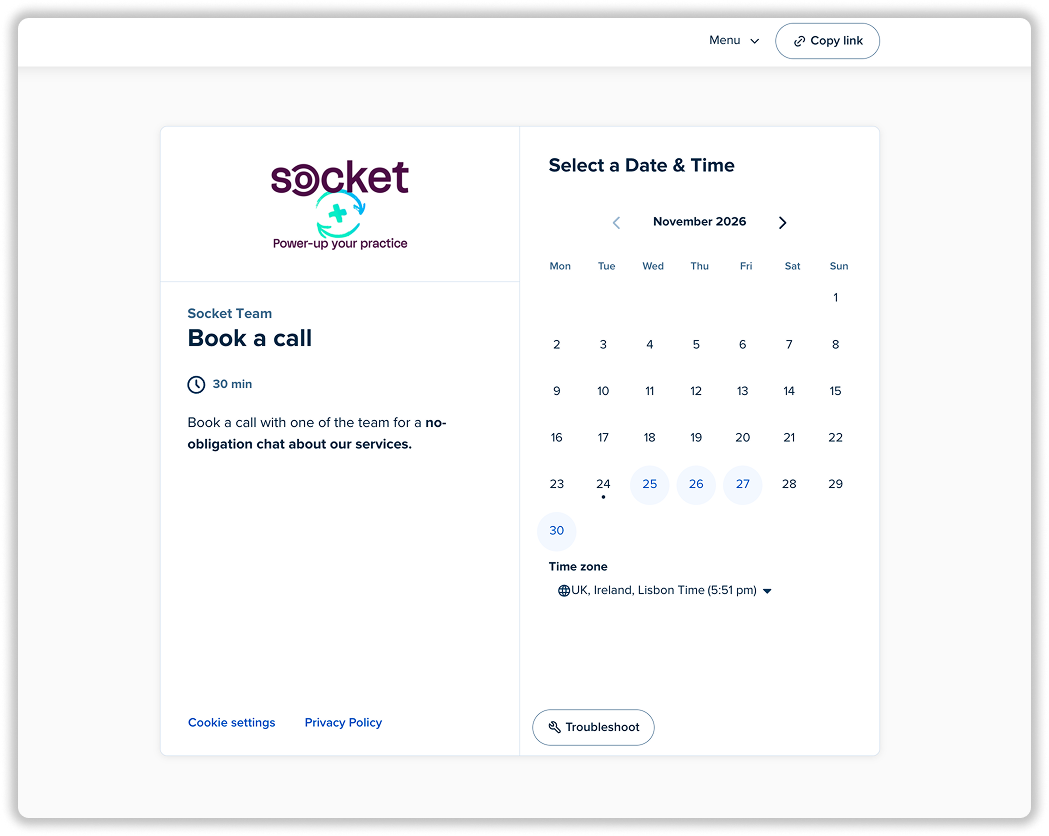
Your form can end on your booking page. A prospect who wants a proper conversation can pick a time before they've left the room, which saves the back-and-forth over dates later.
Share your digital business card
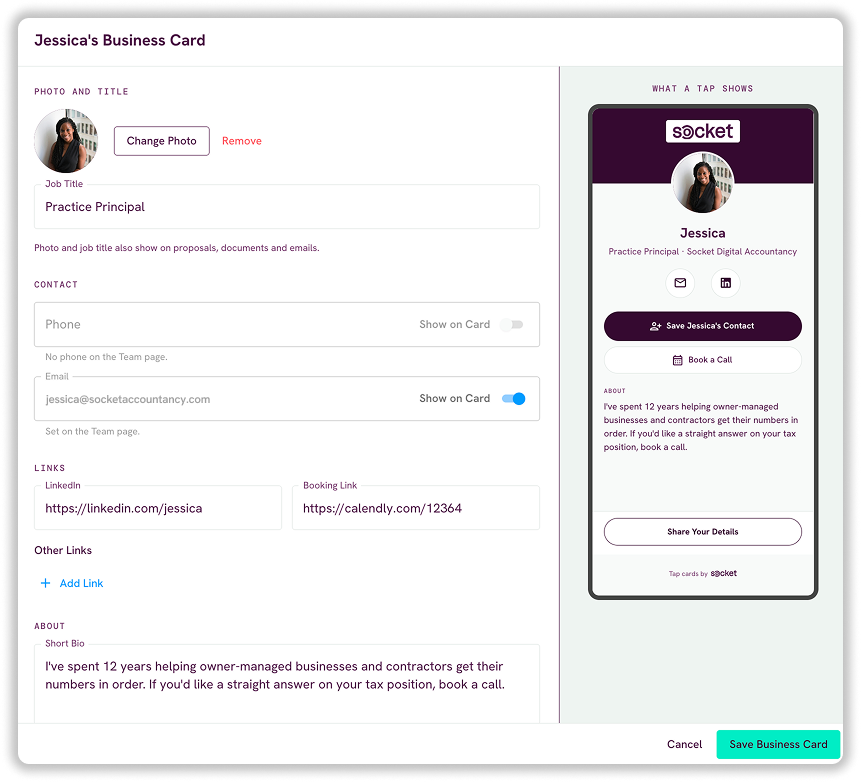
Some prospects aren't ready to fill out an enquiry form yet. In that case a card can point to your digital business card first, which shows your name, role, and practice with three options: Save Contact, Book a Call, and Share Your Details. The prospect can choose their route, either saving your details on their phone, or head straight to your booking link or enquiry form and into your pipeline.
Capture a lead from your own phone
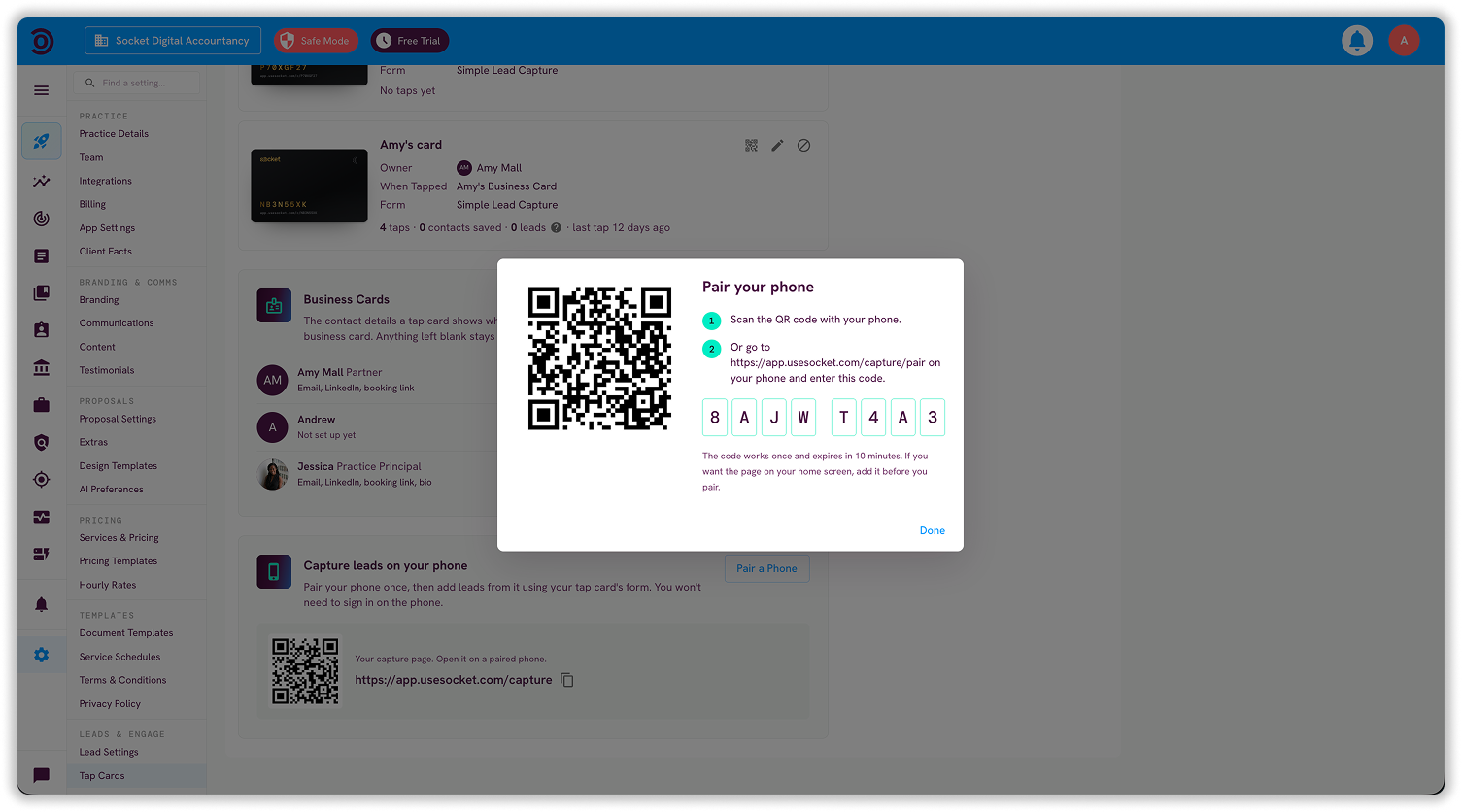
Sometimes it's easier to take the details down yourself. Pair your phone with Socket once and you can add leads from it using your tap card's form, typing in what the prospect tells you. You won't need to sign in on the phone. It's useful when their hands are full or their phone is at the bottom of a bag.
See what each card is doing
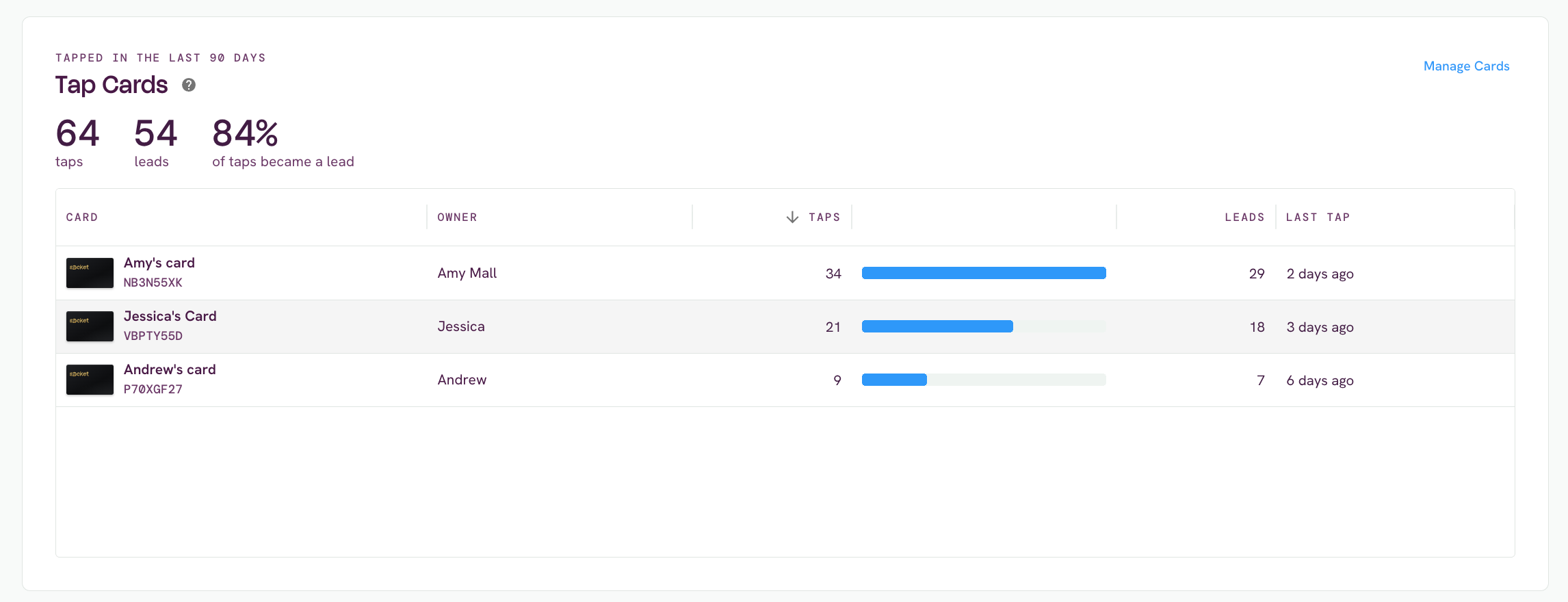
Every card can be tracked in Socket: taps, contacts saved, leads created, and when it was last tapped. If three people in your practice carry cards, you can see which ones are being used. The leads appear on your Leads board and Leads reporting, alongside the rest of your pipeline.
Setting up a card
Set-up takes a couple of minutes. Your cards arrive blank, ready to be linked to the people in your practice, and each one has a code printed on the back. First you'll need an enquiry form set up to send leads to your pipeline (one enquiry form is included with every Leads subscription).
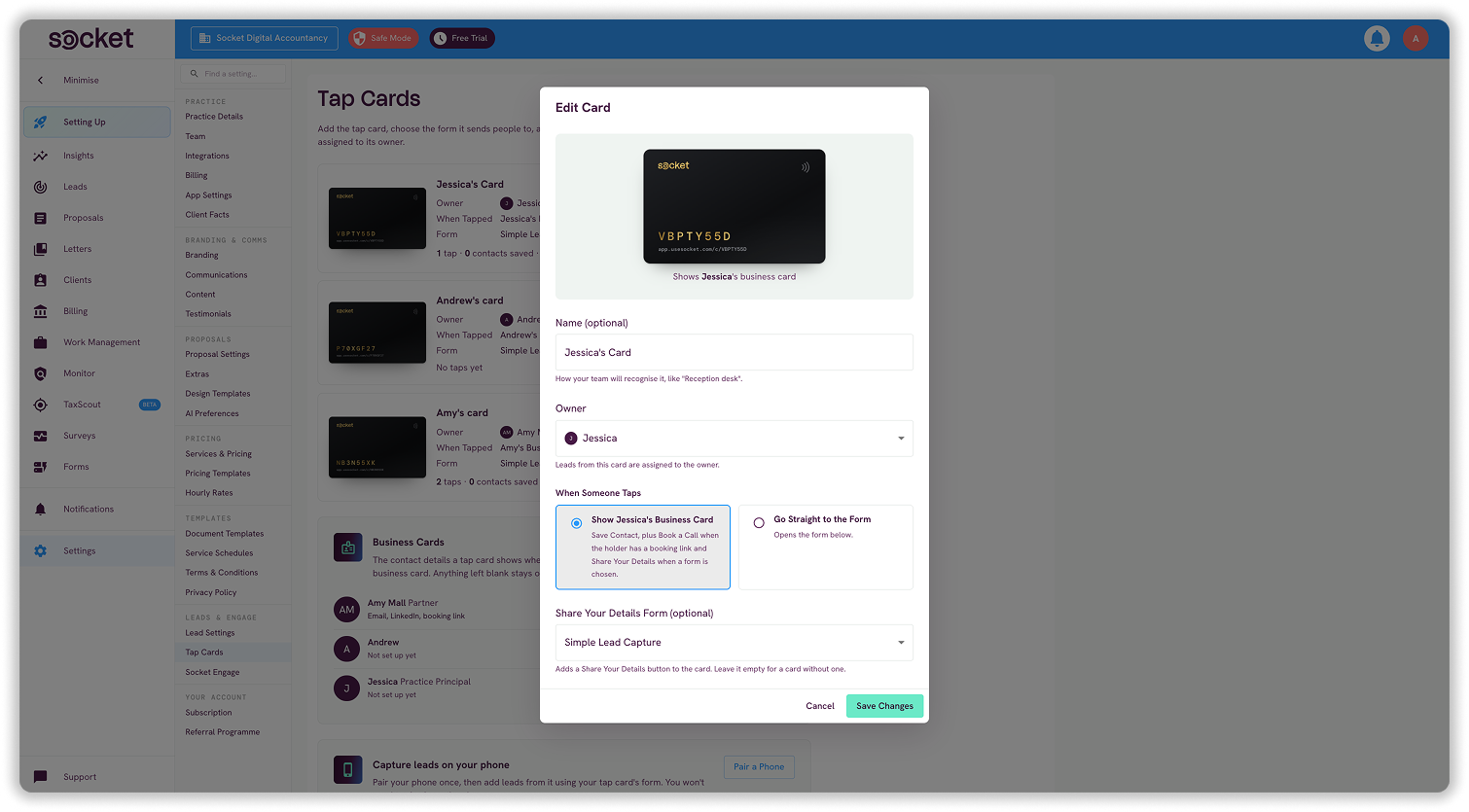
Go to Settings > Tap Cards and select Add Card, then enter the code from the back of your card.
Give the card a name your team will recognise and choose its owner. Leads from that card are assigned to them.
Choose what happens when someone taps: show the owner's business card, or go straight to a form. You can change where a card points whenever you like.
How many cards you get
Tap Cards are free with every Leads plan, and the number you can claim depends on your plan:
Plan | Tap Cards included |
|---|---|
Starter | 1 |
Standard | 2 |
Premium | 3 |
Enterprise | 8 |
If your team needs more, get in touch and we'll see what we can do.
How to claim your cards
If you already have Leads, go to Tap Cards in Socket Settings and fill in the request form and we'll post your cards within 7 days.
If you don't have Leads yet, you'll need to add it to your plan first. The Tap Cards page shows you how, and you can book a 15 minute demo if you'd like to see Tap Cards or Leads in action before you decide.